
Vehicle interior in 360°
Let customers look around inside the vehicle.
How is the dashboard arranged? Where are the storage compartments? How is the cargo area separated? An interactive vehicle presentation shows the real interior. Visitors choose where to look and can open the parts we have captured for that purpose.
A selection of our work
Explore the Snoeks Automotive example.
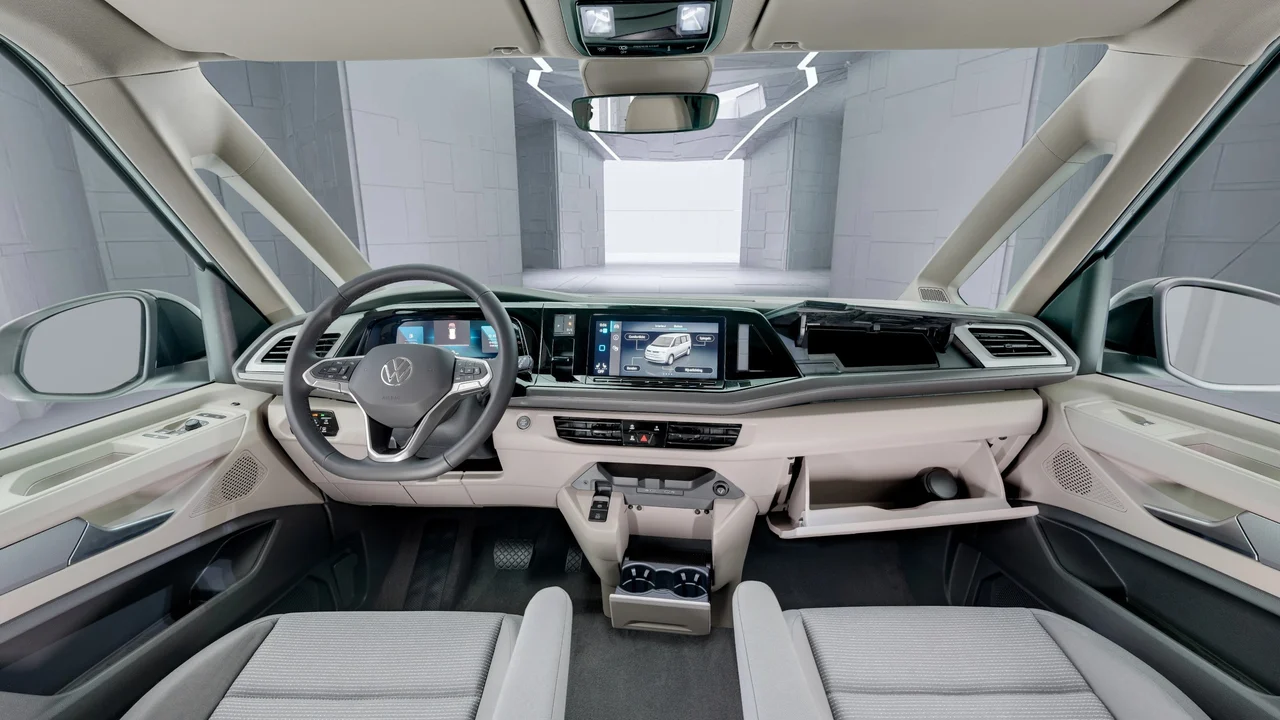
Look around the Volkswagen Multivan, open the indicated storage compartments and move to the cargo area. This is the actual project behind this application.
Snoeks Automotive
Volkswagen Multivan
Explore a car interior in 360 degrees
A photograph through an open door shows one selected part of the interior. In a 360-degree presentation, visitors look around from a chosen position. The dashboard, seats and space between them remain in the same image, showing where each detail sits in relation to the rest of the vehicle.
This suits manufacturers or vehicle conversion companies explaining a particular interior, as well as remote sales conversations. You can look at the same interior together without the customer standing beside the vehicle. The presentation shows the photographed version. Other versions require their own images.
Open parts within the interior view
For Snoeks Automotive, we captured a Volkswagen Multivan interior. Visitors can open and close the indicated storage compartments. Each part stays in its position within the interior, so there is no need to find a separate detail photograph to understand where it belongs.
We agree which parts need this interaction in advance. For each chosen part, we capture the required states, such as open and closed. This is tailored to the vehicle and component. We agree in advance which actions visitors will be able to perform.
From the front seats to the cargo area
The Snoeks tour also has a separate camera position in the cargo area. It shows the partition with a window and the passenger space beyond it. Together with the front position, this explains the vehicle layout.
The camera positions depend on what you need to explain. Is the focus on controls at the front or the layout at the rear? We choose viewpoints around that question. The number of shots follows what needs to be visible, rather than a fixed image count for every vehicle.
Present a vehicle during sales meetings and trade fairs
Open the presentation during a sales conversation and move to the component the customer asks about. Afterwards, share the online link so customers or colleagues can revisit the same version.
For a trade fair, we discuss the screen, controls and internet connection beforehand. Offline use or a special screen setup requires a separate agreement and test. The online presentation can also be opened through a link on your website; we agree the intended placement in advance.
How do we make the interactive presentation?
We start with the vehicle and the questions it needs to answer. Then we select camera positions and interactive parts. Before photography, we discuss the interior condition, vehicle access and which components need to be photographed open and closed.
After photography, we process the panoramic images and add the agreed interactions. During review, we check viewpoints and actions on a computer and mobile device. Placement, hosting and any later updates are set out in the proposal.
What does an interactive vehicle presentation cost?
Pricing depends on the number of vehicles and viewpoints, interactive parts and intended placement. One fixed interior with a few storage compartments requires different work from several versions with different actions.
Tell us which vehicle you want to present, who will use the presentation and which parts need explaining. We can then propose suitable photography and interaction. A rotating exterior view or a configurator with colour and trim selection is a different brief; the Snoeks tour is not an example of those features.